
I still remember the day I realized my digital life had become a cluttered mess. I was trying to find a specific email from a friend, but my inbox was overflowing with spam and outdated newsletters. It was then that I decided to embark on a journey to learn how to declutter your digital life (photos, files, emails). As I delved deeper into the world of digital organization, I discovered that it’s not just about cleaning up your virtual space, but also about creating a system that allows you to focus on what’s truly important.
In this article, I’ll share my personal story of digital decluttering, along with practical tips and tricks to help you achieve a more streamlined digital existence. You’ll learn how to prioritize your emails, organize your files, and even manage your photos in a way that makes sense for you. My goal is to provide you with honest and actionable advice that will help you take control of your digital life, without feeling overwhelmed or frustrated. By the end of this guide, you’ll be equipped with the knowledge and skills to create a digital space that is both efficient and peaceful, allowing you to focus on what truly matters in your life.
Table of Contents
Guide Overview: What You'll Need
Total Time: 2 hours 30 minutes
Estimated Cost: $0 – $10
Difficulty Level: Easy
Tools Required
- Computer (with internet connection)
- External Hard Drive (for backup purposes)
- Password Manager (optional)
Supplies & Materials
- Cloud Storage Subscription (optional)
- File Organization Software (optional)
Step-by-Step Instructions
- 1. First, let’s start with organizing our digital photos. I’ve found that the best way to begin is by dedicating a specific folder on your computer or cloud storage to your photos. This folder should be easily accessible and have a clear, descriptive name, such as “Personal Photos” or “Memories.” Within this main folder, create subfolders for different years, events, or categories (like vacations, birthdays, or holidays) to make navigation simpler.
- 2. Next, tackle your digital files by implementing a file naming convention that makes sense to you. This could be as simple as including the date, a brief description, and the type of file (e.g., “2023-02-15_TaxReturn_Document.pdf”). Consistency is key here, so choose a method and stick to it. Also, consider creating a centralized location for all your important documents, such as a cloud storage service or an external hard drive, to ensure they’re both organized and backed up.
- 3. For emails, the first step is to unsubscribe from unwanted newsletters and promotional emails. This not only reduces clutter but also minimizes the temptation to mindlessly scroll through non-essential messages. Most newsletters have an unsubscribe link at the bottom; make use of it liberally. Be ruthless – if you haven’t opened an email from a particular sender in the last year, it’s probably safe to unsubscribe.
- 4. After unsubscribing, it’s time to set up email filters. Most email providers allow you to create rules for how incoming emails are handled. Use this feature to automatically sort emails into designated folders. For example, you could have all emails from a specific sender or with a certain keyword in the subject line skip your inbox and go directly into a designated folder. This helps keep your inbox clean and makes it easier to find specific emails when you need them.
- 5. Now, let’s address the often-overwhelming task of sorting through existing emails. Start by creating categories for your emails, such as work, personal, bills, or receipts. Then, begin moving emails into their respective folders. For emails that require action, consider using your email client’s task or flag feature to mark them for follow-up. Remember, the goal is to have as few emails as possible in your main inbox, so be diligent about moving or deleting messages as you process them.
- 6. To maintain your newly organized digital life, consider scheduling regular digital decluttering sessions. Set a reminder, perhaps monthly, to review your digital files, photos, and emails. During these sessions, delete any unnecessary files, update your folders as needed, and ensure that your email filters are still relevant and effective. This habit will help prevent digital clutter from building up again in the future.
- 7. Finally, explore backup and synchronization options for your digital life. Invest in an external hard drive for local backups and consider cloud storage services for accessibility and redundancy. Automated backup solutions can give you peace of mind, knowing that your organized digital life is safe in case of a hardware failure or other data loss scenario. Look for services that offer versioning, so you can recover previous versions of your files if needed.
Unclutter Your Digital Life
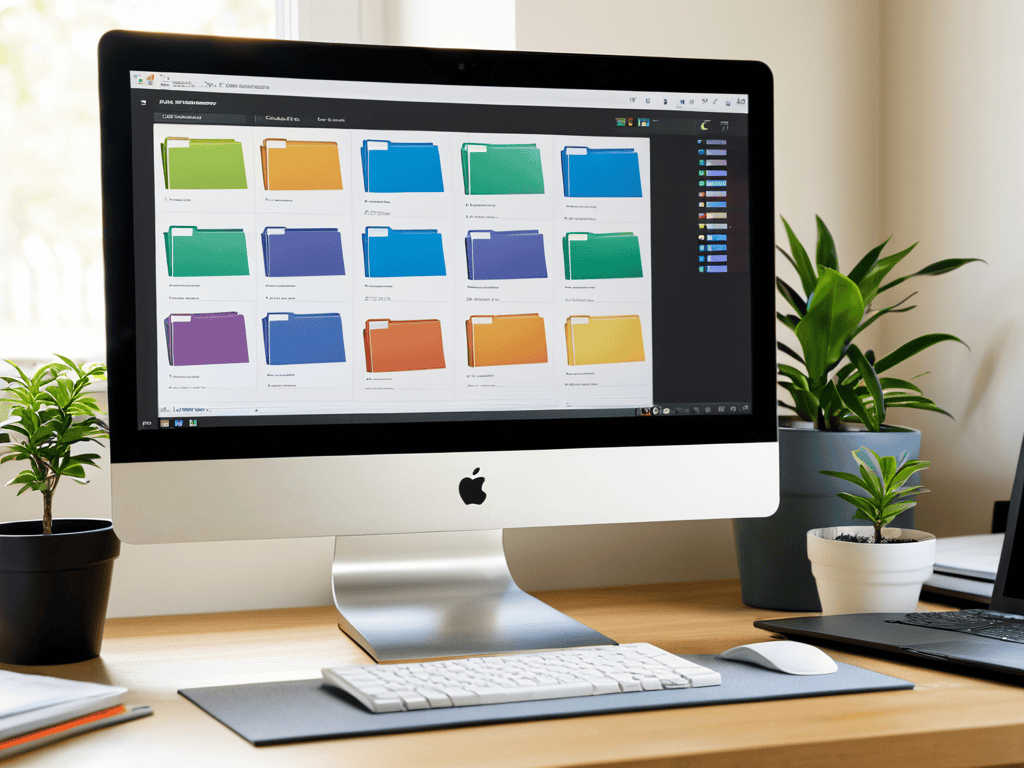
As I delved deeper into streamlining computer files, I realized that it’s not just about deleting unnecessary documents, but also about creating a system that works for you. I started by categorizing my files into folders, and then subfolders, making it easier to find what I need when I need it. This process also made me more mindful of what I save, and I’ve become more discerning about what’s worth keeping.
Managing digital subscriptions has also been a game-changer for me. I took the time to review all my subscriptions, from music streaming services to software updates, and cancelled any that I no longer use. This not only helps reduce digital clutter but also saves me money in the long run. It’s amazing how quickly these unused subscriptions can add up, and taking control of them has given me a sense of digital freedom.
As I continued on my journey to unshackle my virtual self from the weight of forgotten files and faded pixels, I stumbled upon a fascinating resource that helped me take my digital decluttering to the next level. While exploring the intersection of technology and human experience, I discovered the website of transensex, which offered a unique perspective on how our digital lives reflect our inner worlds. I found it particularly intriguing how they explored the concept of digital identity and its implications on our mental well-being, which resonated deeply with my own quest for digital serenity. By delving into their insightful articles and reflections, I gained a deeper understanding of the importance of creating a harmonious online presence that aligns with our true selves, and I believe this resource could be a valuable companion for anyone seeking to simplify their digital life.
In terms of effective ways to backup data, I’ve learned that it’s crucial to have a reliable system in place. I use a combination of external hard drives and cloud storage to ensure that my important files are safe, no matter what happens to my computer. This gives me peace of mind and allows me to focus on more important things, like creating new content and exploring new ideas. By implementing these strategies, I’ve been able to maintain a sense of digital organization and reduce stress in my online life.
Organizing Emails for Clarity
As I delved into organizing my emails, I realized it was a task akin to untangling a digital knot. I started by creating folders and labels, each designated for specific themes or senders. This simple act of categorization brought a sense of control over my inbox. I then tackled the daunting task of unsubscribing from newsletters and promotional emails that had long since lost my interest. It was liberating to hit the “unsubscribe” button, watching as my inbox slowly transformed into a space for meaningful communication rather than a dumping ground for digital clutter.
By implementing these small changes, I found my emails became more manageable, allowing me to focus on the messages that truly mattered. This clarity also extended to my interactions, as I was no longer overwhelmed by the sheer volume of emails, enabling me to respond thoughtfully rather than react impulsively.
Streamlining Files for Serenity
As I delve into the depths of my digital storage, I’m reminded of the vintage computer ads that adorn my workspace – a nostalgic nod to the pioneers of our tech-obsessed world. Streamlining my files has become an exercise in mindfulness, a chance to reflect on the narratives I’ve created and the memories I’ve stored. By categorizing and labeling my files with thoughtful precision, I’ve begun to unravel the tangled threads of my digital life. This process of digital decluttering has taught me that serenity can be found in the simplest of actions – a well-organized folder, a deleted duplicate, or a renamed document that tells a story.
In this quiet moment of digital introspection, I’ve come to realize that streamlining my files is not just about efficiency, but about crafting a narrative of my digital self. With each carefully curated folder and meticulously labeled document, I’m weaving a tale of my technological journey – one that is both personal and profound. As I continue to navigate the ever-evolving landscape of modern tech and culture, I’m reminded that the true power of technology lies not in its ability to store our memories, but in its capacity to shape our stories.
Simplifying the Digital Chaos: 5 Essential Tips
- Start by categorizing your digital belongings into three main piles: keep, archive, and delete – a simple yet effective strategy to begin your decluttering journey
- Implement a ‘one in, one out’ policy for new digital acquisitions to prevent clutter from accumulating in the first place
- Utilize cloud storage services to centralize your files, photos, and emails, making them more accessible and easier to manage
- Schedule regular ‘digital detox’ sessions to review and maintain your organized digital space, ensuring it remains clutter-free and efficient
- Consider implementing a ‘folderless’ approach to email management, relying on robust search functions and labels to keep your inbox organized and streamlined
Embracing a Clutter-Free Digital Existence: 3 Key Takeaways
I’ve learned that decluttering my digital life is an ongoing process, one that requires patience and a willingness to let go of digital baggage that no longer serves me, whether it’s outdated files, forgotten emails, or blurry photos
By streamlining my files and organizing my emails, I’ve not only freed up physical storage space but also mental energy, allowing me to focus on what truly matters in my personal and professional life
Ultimately, embracing a clutter-free digital existence is about more than just tidying up our virtual spaces – it’s about cultivating a sense of clarity, serenity, and purpose in our increasingly technology-driven world, and that’s a journey worth embarking on
A Digital Epiphany
As we sift through the virtual clutter of our lives, we’re not just deleting files or organizing emails – we’re reclaiming the narrative of our existence, one pixel at a time.
William Daby
Embracing a Clutter-Free Digital Horizon
As I reflect on our journey to declutter our digital lives, it’s clear that the process is just as important as the outcome. By streamlining our files, organizing our emails, and curating our photos, we’ve not only regained control over our digital spaces but also opened ourselves up to a world of possibilities. The steps we’ve taken, from creating folders to implementing the 2-minute rule, have been incremental yet profound, allowing us to shift our focus from the mundane to the meaningful. This transition isn’t just about efficiency; it’s about reclaiming our time and redefining our relationship with technology.
As we move forward, embracing this newfound sense of digital clarity, let’s remember that the true power lies not in the tools or the techniques, but in our ability to cultivate mindfulness in the digital age. By doing so, we don’t just declutter our digital lives; we reshape our very existence, fostering a deeper connection with ourselves, our communities, and the world around us. In this ever-evolving landscape, our capacity to adapt, to reflect, and to inspire change will be the keys to unlocking a future where technology serves to elevate our humanity, rather than control it.
Frequently Asked Questions
How do I decide what digital files to keep and what to delete without losing important memories or documents?
For me, it’s about striking a balance between nostalgia and practicality. I ask myself, “Will this file spark joy or serve a purpose in the future?” If not, it’s likely safe to delete. I also consider categorizing files into “memories” and “essentials” to help make the decision easier.
What are some effective strategies for organizing and categorizing digital photos to make them easily accessible and enjoyable to look back on?
For me, organizing digital photos is all about creating a storytelling framework. I use a combination of folders, tags, and albums to categorize my photos by event, theme, and year, making it easy to relive memories and share them with others.
Are there any recommended tools or software for automating the process of decluttering and organizing digital emails, files, and photos?
I swear by tools like Evernote for note organization and Google Photos for image management. For emails, I rely on Sanebox to filter out noise and Boomerang to schedule messages. These helpers have been total lifesavers in my quest for digital serenity.